Highlights
A Single Product for Full Operational Awareness
- One Source for Real-Time Visibility into Your Entire IT Infrastructure
- One Application to Discover, Model, Monitor, Manage Events, Alert, Remediate and Report
- One Product for you to Administer and Maintain
Scale to Manage Tens of Thousands of Resources
- Horizontally Scale to Manage Your Entire Infrastructure
- Built to Scale for the Needs of Large Enterprises and Service Providers
- Proven in Large, Mission Critical Environments
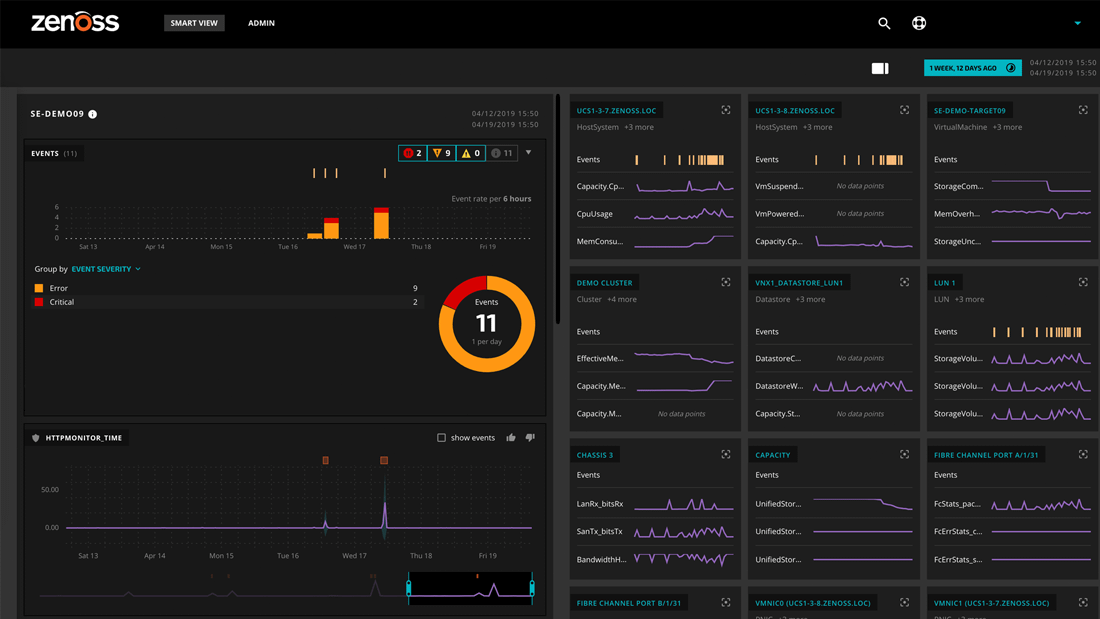
Virtual and Physical Infrastructure Management in a Single Pane of Glass
- One source for an integrated understanding of Virtual and Physical Infrastructure
- Automatically Discover and Track Dynamic Relationships and Performance Over Time
- No Agents Required - Means Easy, Streamlined Deployment
Discovery & Configuration
Auto-Discovery of Infrastructure Components
Zenoss scans the entire IT infrastructure discovering all the devices on the network and their relationships. Auto-Discovery enables Operators and Administrators to have confidence and certainty about what is in their environment, to clearly understand how each component is configured, and to perceive dependencies among components.
- Streamlines the setup and configuration of monitoring
- Begins monitoring as soon as the device is discovered
- Removes the need for cumbersome manual entry of IP addresses and server names
- Continuously finds new devices as they are added to the network
Inventory and Change Tracking
Zenoss provides inventory management and change tracking services that allow operators to maintain a current understanding of their IT environment. Specific Inventory and Change Tracking features include:
Automatic Change History & Detection
- Automatic logging of change history during auto-discovery and manual population
- Automatic event generation and alerting based on change type and affected resource
Manual Field Population
- Manual addition of new devices
- Creation of custom fields to capture device information
- Search of resources using custom fields
Reporting
- Global Inventory
- Change History
- Device Detail Information
External API
- Easily import IT Component information from outside resources
- Integrate with other inventory repositories via Web Services
Grouping, Organization & Classification
- Device organization by logical system (such as Finance, HR, Support, etc.)
- Association of devices with geographic locations
- Ability to classify devices with varying "production level" tags such as "in maintenance" or "decommissioned"
Performance & Availability
Availability Monitoring
Zenoss provides a complete set of availability monitors that actively test key resources across the infrastructure to ensure that all devices are ready to respond to end user requests. These tests are all performed with agentless technology, which eliminates the risk associated with loading monitoring software on target systems. Specific tests and features include:
Scheduled Availability Tests
- ICMP response
- SNMP response
- Standard TCP/IP services (HTTP, SMTP, etc.)
- Specified TCP/IP ports with regular expression matching
- Windows service availability
- Windows process availability
- Linux/Unix process availability
- URL availability
- Nagios Plug-In Support
Dependency Tracking
- Intelligently suppress "downstream" tests and alerts based on layer 3 network dependencies
Event Generation
- Generate real-time events and alerts based on availability issues
Reporting
- Ping Issues
- SNMP Issues
- SLA Reporting
Performance Monitoring
Zenoss Performance monitoring helps ensure that any IT resource (or any defined group of resources) is meeting expected service levels. The Zenoss high-speed Agentless collection mechanism ensures that data is available in real-time, without adding overhead to the monitored component.
Collection Types
- Any SNMP enabled device
- Agentless JMX performance monitoring for all Java Application Servers
- Nagios and Cacti performance collection scripts
- Custom performance collection plug-ins
Thresholds
- Ability to set multiple threshold levels on a specific metric
- Ability to generate events & alerts based on thresholds with unique severities
Graphing & Reporting
- Graphing of Trends over time: hourly, weekly, monthly & yearly
- Historical reports available for all performance data collected
Synthetic Transactions
Combining end user perspective tests (such as URL monitoring) with process, component, and interface monitoring gives IT staff information they need to quickly identify problems and potential outage locations. Synthetic Transaction monitoring provides:
- Active availability and performance monitoring of e-mail, database, and web applications
- Scheduled Control Transactions at key times of the day
- Standard reports for availability and performance trends
Predictive Threshold Trending
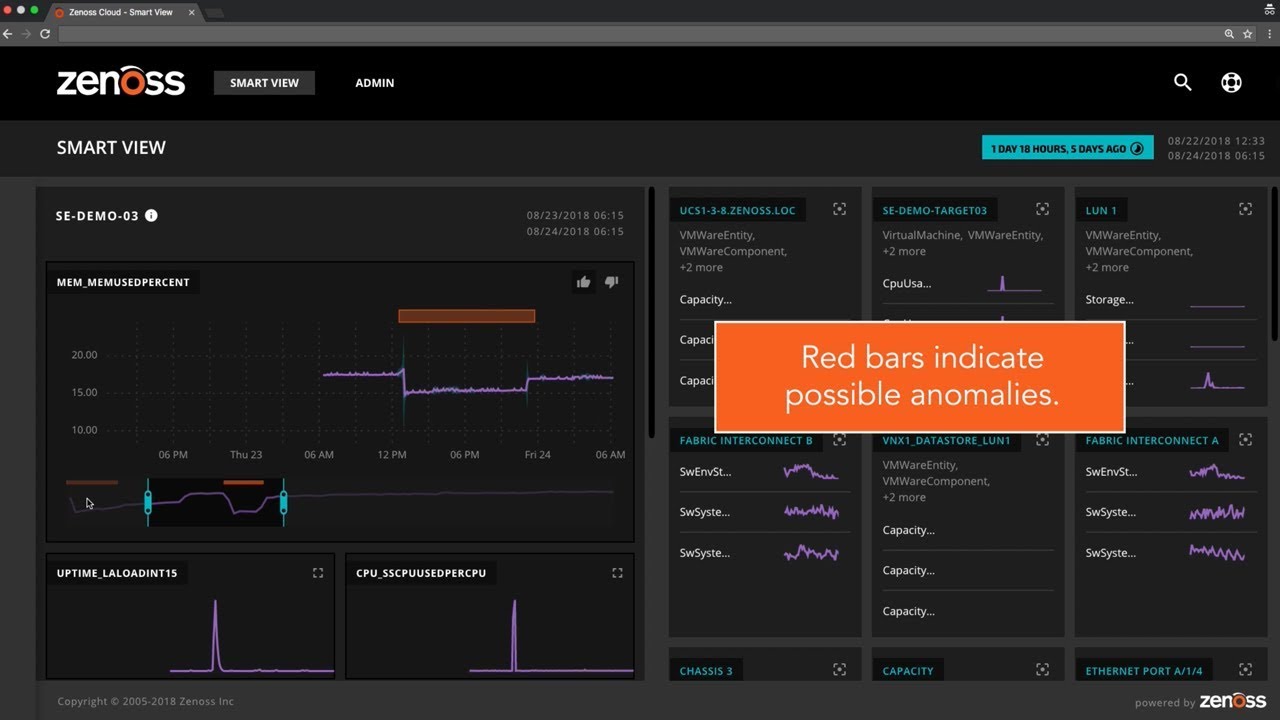
Predictive thresholds use statistical algorithms to help determine when an outage is occurring. Instead of using hard-coded threshold values, predicative thresholds will alert when a parameter measurement starts to suddenly change beyond its typical values.
- Smart Alerts that make intelligent decisions based on statistical data trends
- Find problems associated with sudden spikes that are not detected with statistical thresholds
- Achieve better Service Level Management using both static and dynamic thresholds
Fault & Event Management
Zenoss Event Management aggregates log and event information from various sources including Zenoss availability and performance monitoring, syslogs, SNMP traps, Windows Event logs, and more.
Event Collection
- Aggregation of events from all Zenoss monitoring sources such as: availability monitoring, performance monitoring, syslog sources, SNMP trap sources, Windows Event log, and more
- Custom event creation through XML-RPC interface
- Inclusion of application-specific text logs via custom scripts and/or third party log parsers
Event Processing & Correlation
- GUI interface for building event processing rules
- Automatic event classification
- Automatic event prioritization
- Automatic de-duplication
- Automatic begin/end correlation
- Operator acknowledgment
- Automatic and Manual Archiving
Alerting & Remediation
Alerting
Zenoss provides an array of rich alerting options that include:
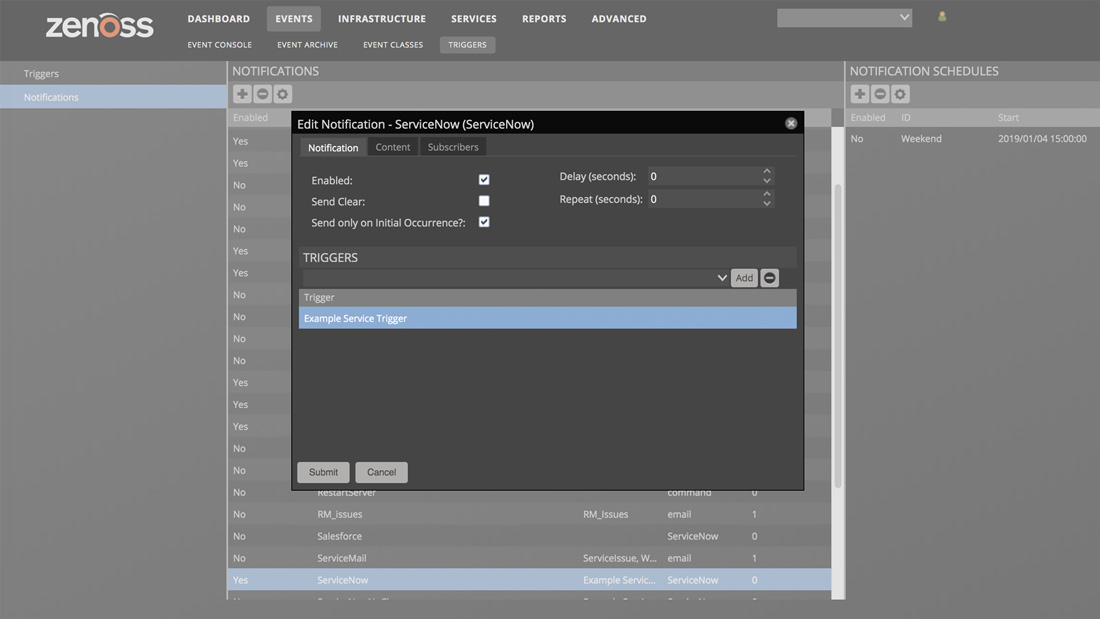
- Alert delivery via e-mail, SMS, SNMP traps, and other custom interfaces
- Alert delay rules (standard, custom, and personalized rules apply)
- Basic and Advanced escalation rules
- Level 3 Topology awareness to correlate alarms across connected systems and suppress causal (avoiding "alert storms")
Automatic Remediation
When configured by operations, Zenoss can take corrective actions, based on rules and policies, when problems occur in the infrastructure. The Zenoss remediation system includes:
- Native capability to build policy-based rules that trigger automatic action and response. Common triggers for action include availability failure, crossing of performance thresholds, and matching predefined log values
- Execution of policy-based actions when conditions such as availability error or performance slowdown are detected
- Support for standard actions (i.e., start service, stop service, etc.), as well as custom remediation scripts
Reporting & Analysis
Zenoss includes customizable report templates that aggregate data from all components of the solution. Generated reports can be on real-time or historical data to suit the needs of different constituents in IT Management.
Enterprise Reports Library
The Enterprise Reports Library is available to Zenoss Enterprise subscribers and provides the following reports:
- Systems Availability - Shows you systems availability in time & percentage
- Organizer Availability - Shows availability percentage of all network organizers in the system
- Event Time to Resolution - Shows the total time taken to either acknowledge or clear events on a per-user basis
- Interface Volume - Shows total number of bytes transferred. Often used for billing for customers who charge based on bandwidth
- 95th Percentile - Network interface utilization report that also reports on-average utilization as well as the 95th percentile utilization. The 95th percentile method more closely reflects the needed capacity of the network link
- Alert Rules Inventory - Shows all alert rules and the e-mail addresses to which alerts are sent
- Maintenance Windows - Shows all maintenance windows
- Defined Thresholds - Reports on all thresholds defined in the system
- User Event Activity - Shows the total number of events acknowledged and cleared on a per-user basis
- Group Membership by User - Shows all users and the groups to which they belong
NetFlow Reporting
NetFlow reporting is available as part of the Plixer Zenoss partnership
- Using Plixer's Scrutinizer ZenPack enables Zenoss users to quickly access a variety of NetFlow reports
- NetFlow reports include "Top Talkers" and "Top Conversations"
Device Reports
Device Reports present users with an aggregate view of data over multiple devices (and their attributes). Some examples of Device Reports are:
- All Monitored Components - Includes all of the components currently being monitored by Zenoss
- Device Changes - Includes a listing of devices with their configuration changes
- Ping Status Issues - Provides information on failed ping attempts for the monitored devices
- SNMP Status Issues - Provides information on failed SNMP attempts for the monitored devices
- New Devices - Lists devices that have been recently added
- All Devices - Lists all of the devices added to the Zenoss system
Event Reports
Event reporting delivers aggregate data about events, event mappings and event classes. Some examples of Event Reports are:
- All Heartbeats - Shows all heartbeats for monitored devices
- All Event Classes - Provides data on all of the event classes that reside in the Zenoss system
- All Event Mappings - Shows all user-created event mappings
Performance Reports
Performance Reporting allows users to aggregate performance data across the entire Zenoss system. Some examples of Performance Reports are:
- Availability - Lists the availability of each device as a percentage
- CPU Utilization - Lists the Load Average for each device
- Threshold Summary- Lists the devices that approach or exceed their thresholds
- Interface Utilization - Displays a full list of interface statistics for each device
- Memory Utilization - Lists the memory usage for each device being monitored
- File System Utilization - Shows the Total Bytes, used Bytes, Free Bytes and Percent Utilization for each device
- Notification Schedules - Shows all of the alerting rules and the details associated with each rule
IT Configuration Database
At the heart of Zenoss solutions resides the IT Configuration Database. The IT Configuration Database houses a unified model of the entire IT environment and provides the basis for the Zenoss "model-driven" IT monitoring approach. The IT Configuration Database features include:
- Modeling of the entire environment including networks, servers, software, and applications
- Logical and physical grouping and mapping to business systems, locations and responsible parties
- Population through auto-discovery, web services API, XML import/export and manual user input (when desired)
- Configuration policies that specify required configuration items
Agentless Collection & Control
Zenoss uses agentless data collectors that utilize open standards and performance APIs to gather performance and availability data from network devices to composite applications and virtual servers.
By not requiring agents, Zenoss delivers the following benefits to users
- Easy and fast deployment of the entire solution
- Streamlined implementation and configuration
- Management coverage stays current with implemented components and devices
- Avoidance of agent-induced overhead and performance issues
Web Portal & Dashboards
100% Browser-based User Interface
- Easy to deploy to stakeholders across the organization
- No Linux expertise required to administer the application
- Easy to support and rollout changes
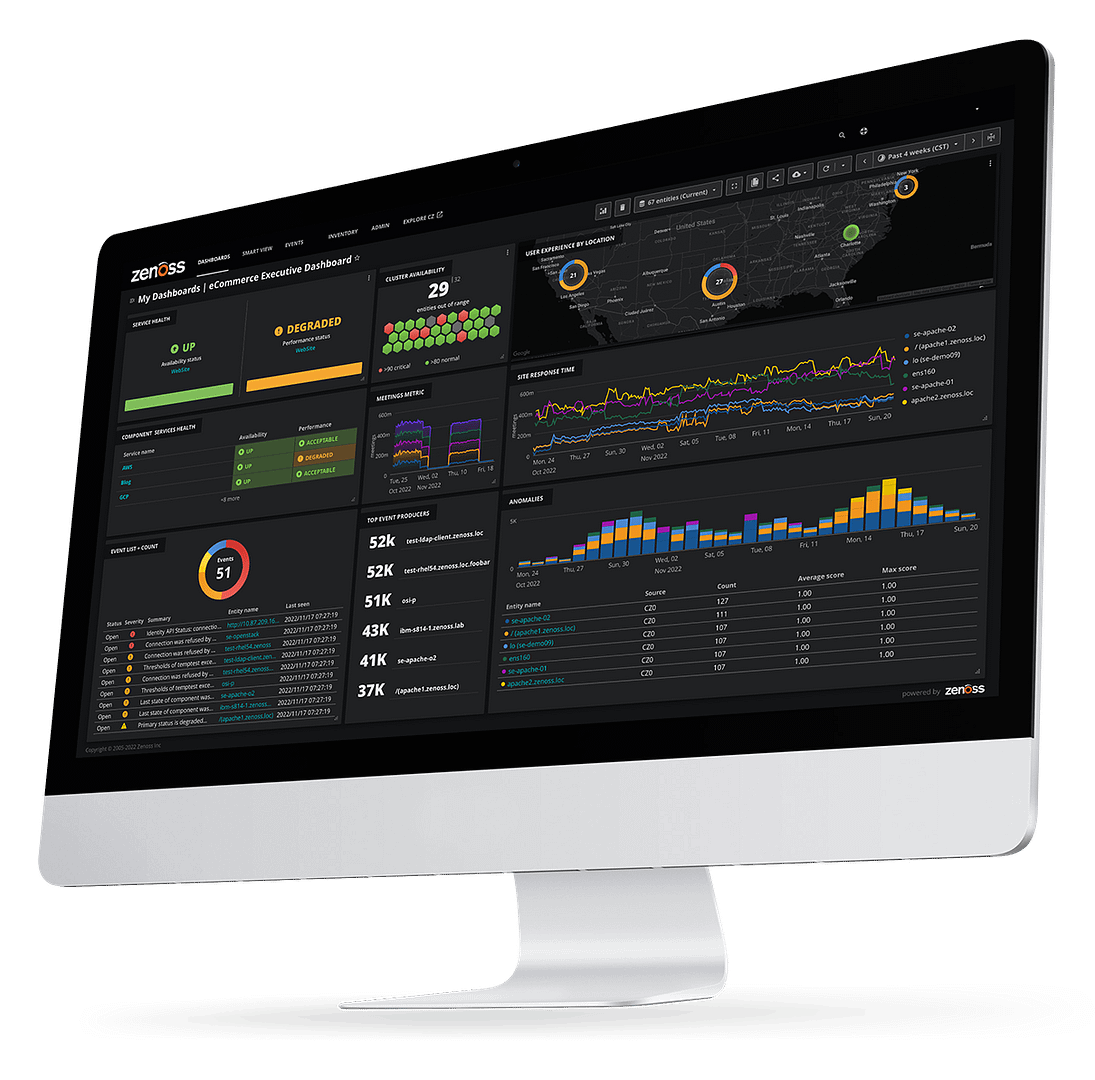
Personalized Dashboards
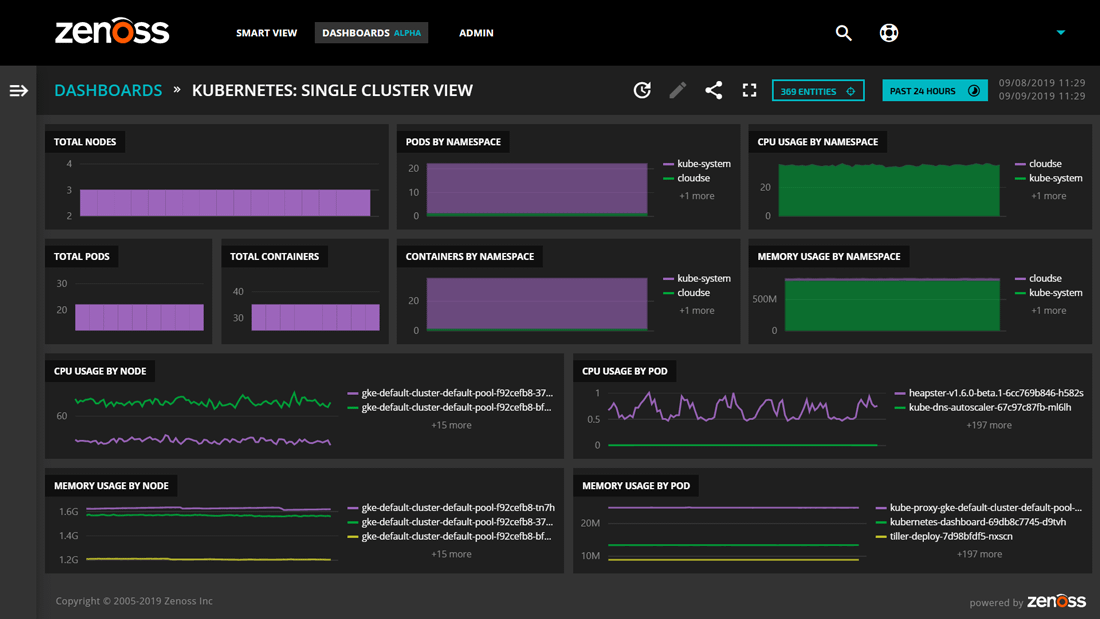
- Portlet based dashboard, that updates in real time
- Drag and drop customization
- Customizable views by end user
Access Control
- Authentication required for access
- Role-based permissions and views
- Management of permissions through web-based administration
- Integration with 3rd party directories
Global Dashboard
The Global Dashboard is intended for large enterprises who have multiple installations of Zenoss Enterprise. Using the Global Dashboard customers can quickly see the performance & availability of their entire IT Infrastructure across multiple Zenoss Enterprise Installations.
- Role-based access control allows each stakeholder to see the most appropriate data and presentation of that data (i.e. graphs, metric lists, alerts, etc.)
- Allows operators to easily compare and contrast the performance & availability across multiple Zenoss Enterprise Installations
- Single aggregated data view of all devices that are being monitored
Visualization
Zenoss Network Monitoring capabilities include dependency mapping, Layer 3 topology visualization, and integration with Google Maps.
Geographical Visualization
- Displays geographic location of devices on Google Maps from within Zenoss
- Color coded status indication for nodes and connections between different locations
- Customized severity settings for color coded status indicators
Topological Visualization
- Flash-based map of layer 3 network topology
- Icon based device representation of Linux and Windows devices
- Search capability to locate specific devices
Operations & Security
Distributed Collectors
Zenoss Enterprise adds the ability to distribute collectors as needed to increase monitoring capacity. Collectors may also be distributed to reduce and localize the amount of network bandwidth used for data collection.
- Distributed collectors can be added to scale device monitoring
- Collectors can be distributed geographically to reduce network utilization
- Distributed Collectors will increase Performance Reporting capacity
- Centralized management of distributed collectors from Zenoss UI
High Availability
Zenoss Enterprise offers a specific high availability configuration to ensure monitoring continues during hardware failures.
- Fail-over resiliency with active / passive configuration of two Zenoss master servers to provide a single "highly-available" master
- Collector redundancy on each master for all local network segments, ensuring full visibility at all times – both real-time and historical
Global Dashboard
The Global Dashboard is intended for large enterprises who have multiple installations of Zenoss Enterprise. Using the Global Dashboard customers can quickly see the performance & availability of their entire IT Infrastructure across multiple Zenoss Enterprise Installations.
- Role-based access control allows each stakeholder to see the most appropriate data and presentation of that data (i.e. graphs, metric lists, alerts, etc.)
- Allows operators to easily compare and contrast the performance & availability across multiple Zenoss Enterprise Installations
- Single aggregated data view of all devices that are being monitored
Role-Based Access Control Levels
Role-Based Access Control enables administrators to specify what users may do and which devices they may access.
- Easy management of access and authorization rights on a user-by-user basis
- Permissions can be set on a variety of different attributes – even an individual device
- Easily update individual user rights & permissions using Zenoss Web-based Interface
3rd Party Integration
Integration APIs
Zenoss Enterprise is open for easy customization and integration with other applications. Zenoss supports integration using the following approaches:
- Web Services APIs (XML-RPC and REST)
- XML Import/Export
- Python Scripting Shell
Remedy Integration
Connects Zenoss Enterprise to the Remedy Help Desk system. With this integration, Zenoss users receive:
- Automatic creation of Remedy Help Desk tickets directly from Zenoss Events
- Direct access (from the help desk system) into Zenoss Enterprise for troubleshooting
- Remediation of performance issues before they cause costly down time of systems
RANCID Integration
Enables integration between RANCID Network Management tool and Zenoss Enterprise
- Single point of control for configuration tasks through centralized administration
- Complete router inventory database with Zenoss auto discovery
- Real time router configuration change detection
LDAP Integration
Leverages existing LDAP authentication infrastructure for Zenoss authorization and access control
- Supports Microsoft Active Directory, OpenLDAP, and any LDAPv3 compliant directory
- Provides Single Sign-on for Zenoss by using existing Directory infrastructure
- Automatic enforcement of corporate security policies and compliance controls
Business Services
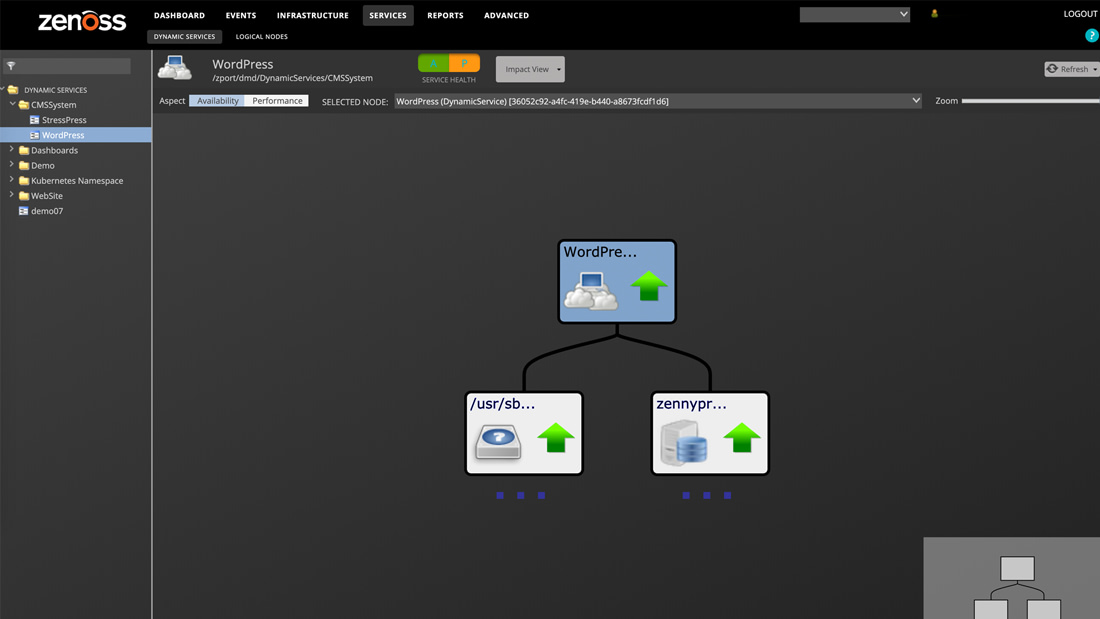
Zenoss enables users to group their IT Infrastructure into Systems that represent IT Services. For example, a System may consist of all the IT Infrastructure used to provide a Web site. Zenoss also provides the ability to create groups based on geographic locations.
- Group related infrastructure into IT Services known as Systems
- Create geographic groups that map IT Infrastructure to its physical locations
- Google Maps integration shows outages directly on the geographical view
- Use Systems to quickly find all the open events related to an IT Service
Applications
Zenoss monitors the performance & availability of software applications such as Databases, Java Application Servers & Web Servers.
- Monitor performance and availability of Java Application Servers and Java Virtual Machines using JMX:
- Apache Tomcat App Server
- BEA WebLogic Server
- ColdFusion MX
- IBM WebSphere Application Server
- JBoss Application Server
- Monitor the performance and availability of various Databases, including roundtrip query time:
- MySQL
- Oracle
- PostgreSQL
- Microsoft SQL Server
- Monitor Microsoft Exchange and Active Directory
- Use synthetic transactions to check the availability of Web site
- Create custom SQL queries to verify databases are responding in a timely manner
Virtual Servers
Zenoss provides comprehensive monitoring of your entire Virtual Infrastructure. The performance & availability information for the Virtual and Physical Infrastructure is automatically correlated and displayed together in a single pane of glass.
- Automatic discovery and inventory of all VMware Infrastructure components including: Virtual Machines, ESX Servers, Clusters, and Data Stores
- Monitor performance of Virtual machines including memory, disk & CPU
- Real-time detection when Virtual Machines move from one VMware host to another (called VMotion)
- Integration with VMware Virtual Center and vCenter Server
Physical Servers
Zenoss monitors the performance & availability for the most popular server operating systems including: Windows, Linux and Unix. Monitoring is done remotely (agentlessly) and does not require any software to be deployed on the target machines being monitored.
- Agentless technology allows monitoring to be set up in minutes
- Data collection can be fully secure by using Secure Shell (SSH) &
- Windows Management Instrumentation (WMI)
- An inventory of software packages installed on each server is automatically created
- Ability to monitor Windows Services and Linux/Unix processes
Network
Zenoss monitors the performance & availability of virtually any network device including routers, switches and firewalls.
- Monitor any SNMP enabled network device
- Understand your network's dependencies by using the Layer 3 topology view
- Get detailed information on network interface bandwidth utilization
- Find out what software is running on the network device
Power/Environment
Zenoss monitors the environmental conditions of server hardware including temperature and humidity. Zenoss is also integrated with devices that measure environmental conditions of the entire data center.
- Measure hardware environment of both Dell and HP Servers
- Monitor data center environmental conditions from any SNMP enabled sensor device such as Websensor
- Monitor the availability of Uninterruptible Power Supplies (UPS)
Native, Agentless Monitoring of VMware
Zenoss provides comprehensive monitoring of your entire Virtual Infrastructure. The performance & availability information for the Virtual and Physical Infrastructure is automatically correlated and displayed together.
- Automatic discovery and inventory of all VMware Infrastructure components including: Virtual Machines, ESX Servers, Clusters, and Data Stores
- Monitor performance of Virtual machines including memory, disk & CPU
- Real-time detection when Virtual Machines move from one VMware host to another (called VMotion)
- Integration with VMware Virtual Center
What Zenoss Monitors
The following is a list of sample devices, application protocols, and other resources monitored by Zenoss. Support for new devices, networks, systems, applications, and more is constantly added. Open standards and APIs allow organizations with special needs to create their own plug-ins quickly and easily.
Network Devices
- Alvarion WiFi
- BigIP LTM Virtual Server
- BlueCoat Appliances
- Brocade Switches
- Cisco IP SLA
- Cisco Security Appliance
- Colubris Wireless
- Fortigate
- Funkwerk
- IronPort Email Security & Relay Appliances
- Juniper
- LTM Virtual Server
- MRV wireless
- Netasq
- NetScreen
- Nortel
- Raytalk Wireless
- SourceFire
Operating Systems
- IBM AIX
- Sun Solaris
- HP/UX
- Enterprise Linux
- RedHat Enterprise Linux
- CentOS Linux
- Fedora Linux
- Debian Linux
- Ubuntu Server Linux
- openSUSE Linux
- SUSEĀ® Linux
- Microsoft Windows
- Mac OSX
- Netware Loadable Module
- BSD
Virtual Infrastructure
- Citrix XenServer
- VMware Virtual Infrastructure (VI 3)
- VMware vSphere v4
- VMware Virtual Center
- VMware vCenter Server
Application Servers
- JBoss Application Server
- BEA WebLogic Server
- IBM Websphere Application Server
- Apache Tomcat Application Server
- ColdFusion MX
- Java Applications via JMX
- Java Virtual Machines
Databases
- MySQL
- Oracle
- PostgreSQL
- Microsoft SQL Server
- Generic SQL Queries
- Round-trip SQL time
Web Servers
- Apache Web Server
- Microsoft IIS
- Server Load Balancing Virtual Server
- Squid
- Web (HTTP) Transactions
Microsoft Technologies
- Microsoft Active Directory
- Microsoft Exchange
- Microsoft IIS
- Microsoft SQL Server
- Microsoft Terminal Services
- Microsoft Windows Services
Storage
- Brocade SAN Switches
- EMC Celerra,/li.
- NetApp Filers
CRM
- SugarCRM
Security
- LDAP Queries
- ASSP Anti-Spam
- VPN Tunnels
- Microsoft Active Directory
Email Servers
- Microsoft Exchange
Protocols
- APC UPS PowerNet
- Dell Servers
- Eltek Power Systems
- HP ProCurve Switches
- HP Servers
- HP Systems Insight Manager Adents
- HP Temperature Sensors
- Netbotz
- Powerware UPS
- Sentry Cabinet Power Distribution Unit (CDU)
- Websensor
Protocols
- DIG
- DNS
- FTP
- Generic Printer Monitor
- IRC
- Jabber
- NNTP
- NTP
- RPC
One product
Zenoss Enterprise was designed, built, and delivered as a single product that includes:
- Physical Infrastructure Coverage
- Virtual Infrastructure Coverage
- Availability & Performance Monitoring
- Event & Fault Management
- Inventory Discovery & Management
- Reporting, Alerting, Remediation, and other management features
In addition to streamlined installation, configuration, and administration of the solution, users receive several other benefits:
- Correlated Event Management across the infrastructure on a single screen
- Intelligent monitoring, with knowledge of inter-device dependencies
- Value and usefulness across the entire IT team including executives, operators, admins, etc.
Full Operational Awareness
Zenoss Enterprise includes full operational awareness across the entire IT infrastructure stack. From a management feature persctive, Zenoss Enterprise includes all the key components of IT systems management:
- Asset discovery and inventory
- Availability & Performance Monitoring
- Event & Fault Management
- Alerting & Remediation
- Reporting
- Change Detection
To provide proper visibility throughout the organizations, Zenoss Enterprise delivers custom views and custom data to all IT stakeholders, from executives to developers, so that the users can see exactly what they need in a view appropriate for their business requirements.
When problems occur, operators drill down with Zenoss Enterprise into the appropriate system (operating systems, J2EE apps, databases, etc.) to determine the root cause.
Entire IT Infrastructure
Zenoss Enterprise is unique in the way that the solution covers the entire infrastructure with a single product. Rather than integrate network monitoring, server monitoring, VMware monitoring, and more into a common UI, Zenoss is single model-driven product that has simply extended its model to a wide array of technologies.
Coverage of the physical infrastructure stack includes Network performance monitoring, network topology, dependency mapping, platform, server, and operating system monitoring, and application monitoring including synthetic transactions to simulate end user experience.
Coverage of the virtual infrastructure includes complete VMware infrastructure modeling and performance management. Because Zenoss Enterprise is a single product with modeled extensions into technology stacks, the solution has rare visibility into the Physical-to-Virtual (P2V) crossover point, crucial for isolating problems in virtual environments.
Supported Platforms
Zenoss runs on a variety of platforms, supports users on multiple browsers, and manages a wide range of devices and resources.
- Red Hat Enterprise Linux (4 & 5 @ 32 or 64-bit)
- CentOS RPM (4 & 5 @ 32 or 64-bit)
- Novell Suse Enterprise Linux SLES(v10 @ 32 or 64-bit)
Zenoss users access monitoring data, rules policy engines, administrative fetures, live and historical reports, and other user features through a standard Web Portal. Supported browsers are:
- Microsoft Internet Explorer 7
- Mozilla Firefox 3.x